PrestaShop Module

B2B Access Manager for PrestaShop

by Metalinked

Control customer access, pricing and checkout with a complete B2B approval system.

Turn your store into a controlled B2B environment with customer validation, business registration and admin approval workflows.

Compatible with PrestaShop 8 & 9 No coding required

πŸ’‘ More than a hide price module. A complete B2B customer management system.

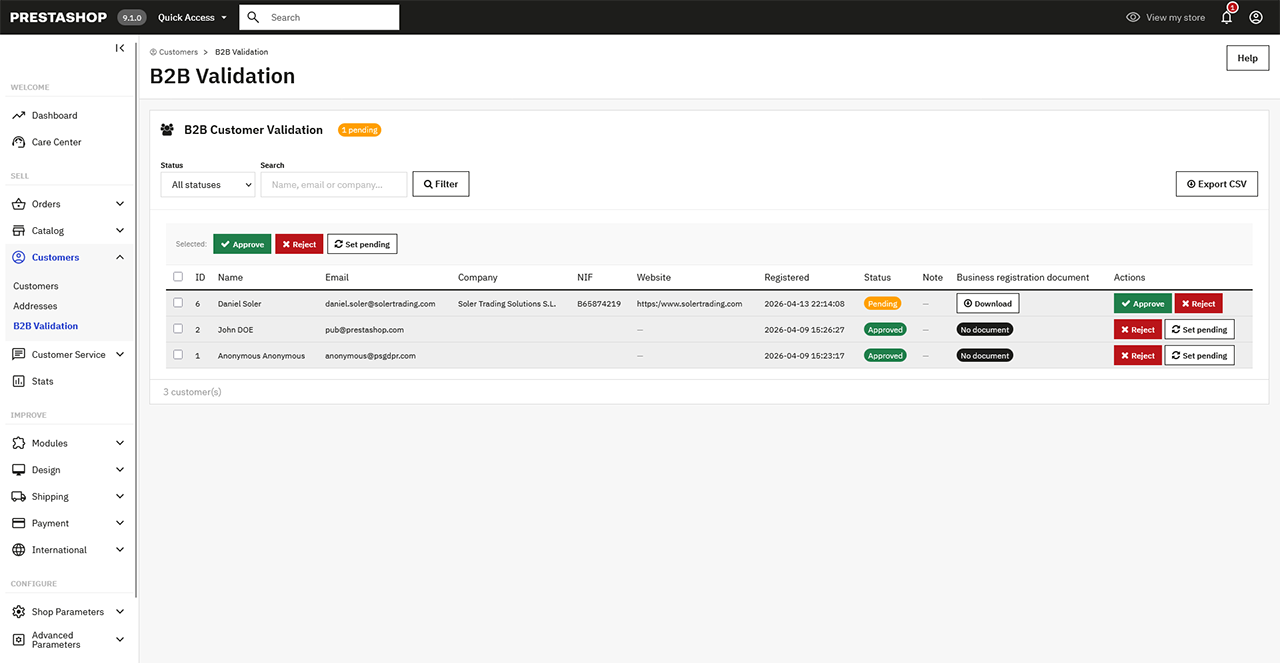
Customer validation panel

Your store is open to everyone by default

❌

Anyone can see prices

❌

Anyone can add products to cart

❌

No customer validation process

πŸ‘‰ This setup is not suitable for B2B businesses that require control and verification.

Take full control of your B2B customers

  • Restrict access to prices, cart and checkout
  • Allow only approved customers to purchase
  • Implement a complete business onboarding process
  • Validate customers before granting access
Restrict access to prices, cart and checkout

How it works

πŸ“

Step 1

Business Registration

Customer registers with full business details

⏳

Step 2

Pending Approval

Account is automatically set to Pending approval

πŸ“§

Step 3

Admin Notified

Admin receives a notification email

πŸ”Ž

Step 4

Review & Decision

Admin reviews and approves or rejects the request

βœ‰οΈ

Step 5

Customer Notified

Customer receives email notification

βœ…

Step 6

Full Access

Approved customers get full store access

Everything you need for B2B

πŸ”

Access Control

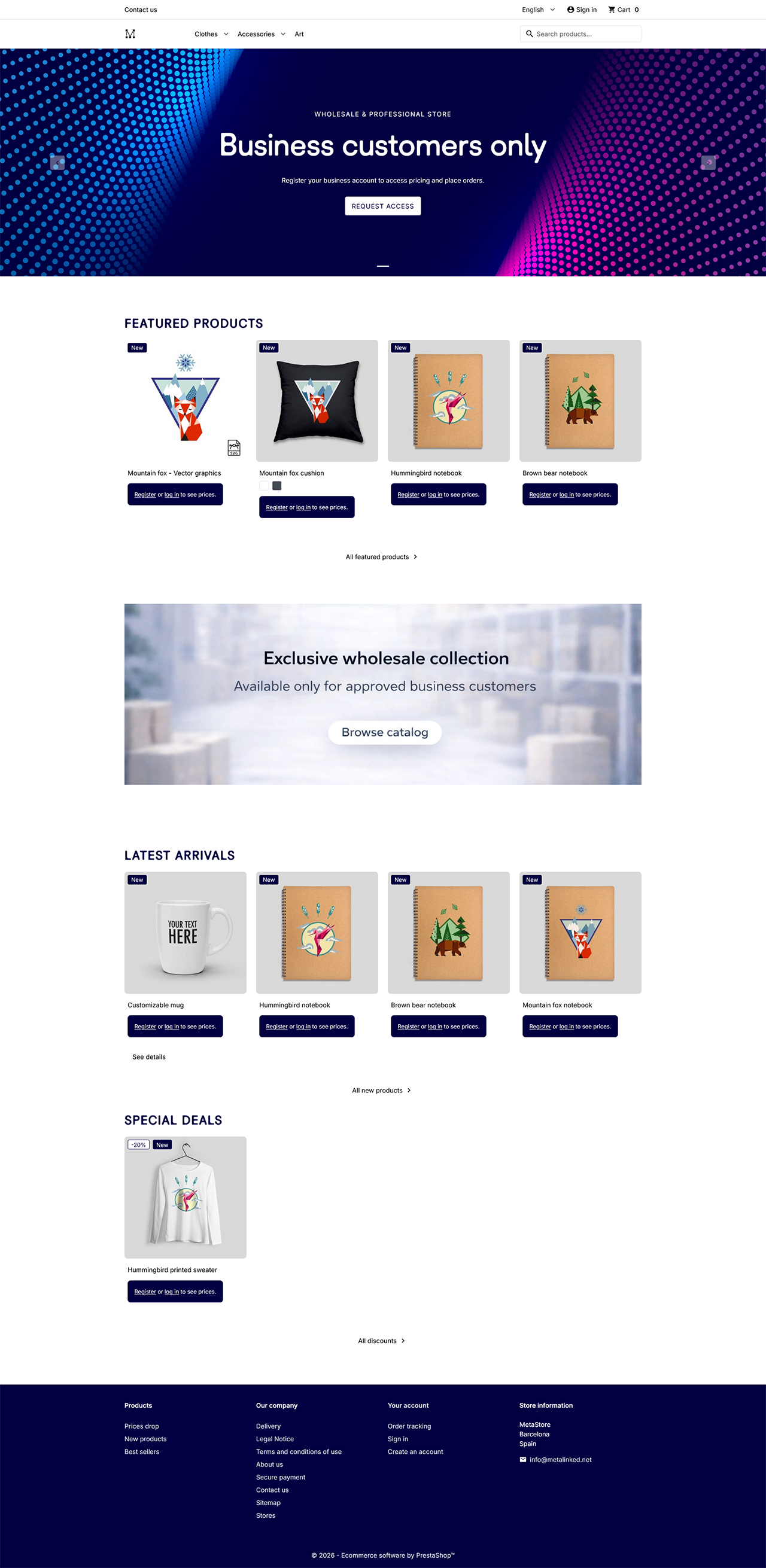
  • Hide prices for guests and non-approved users
  • Disable add to cart and checkout until approval
  • Display custom messages (register to see prices / buy)
🧾

B2B Customer Onboarding

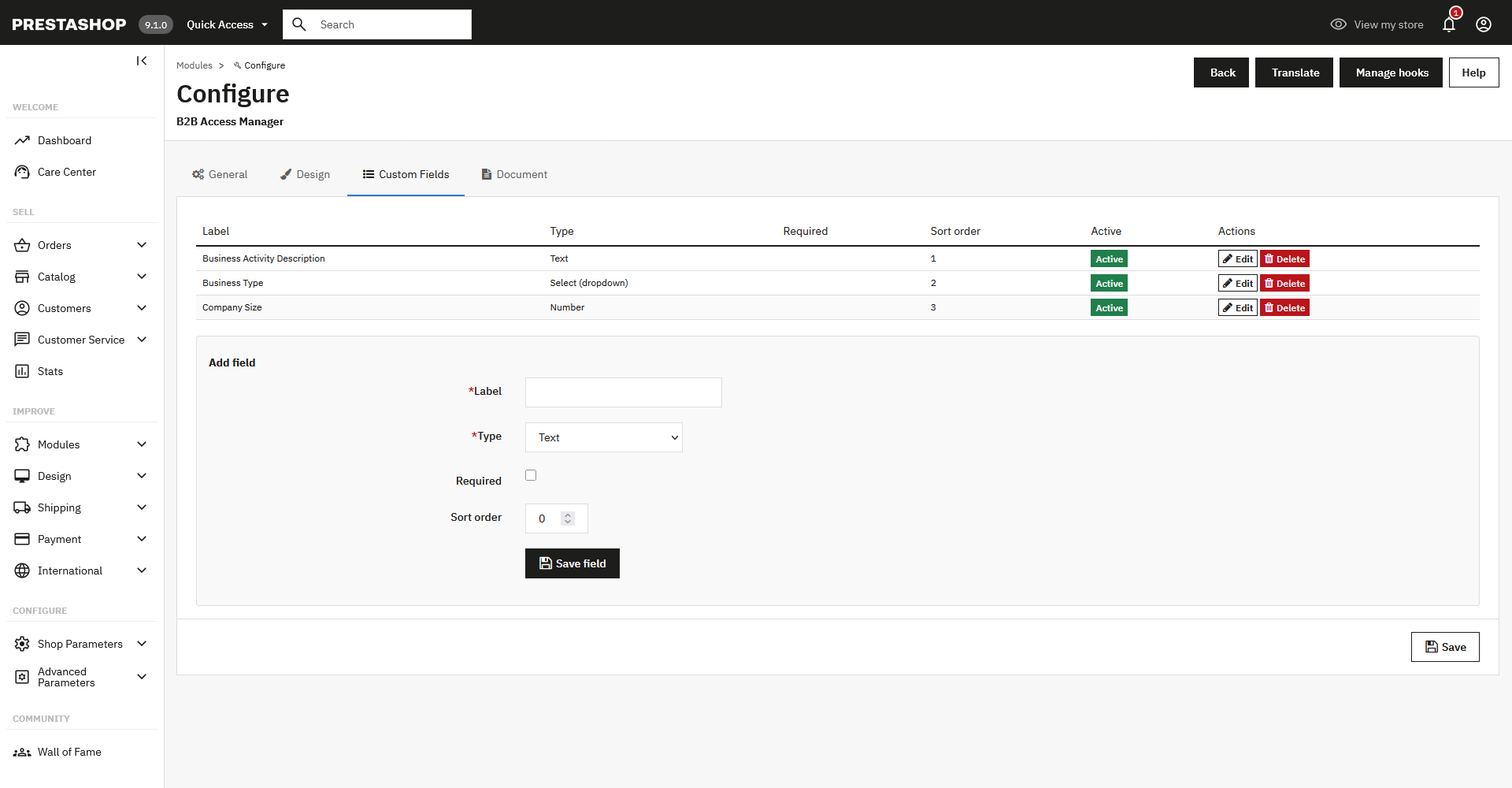
  • Extended registration form with business data
  • Customers provide all required information before approval
  • Automatic customer status management (Pending / Approved / Rejected)
πŸ“„

Business Verification

  • Optional document upload during registration
  • Configurable requirement (optional or mandatory)
  • Secure admin access to uploaded documents
πŸ“§

Email Notifications

  • Admin alerts for new pending registrations
  • Automatic emails to customers after approval or rejection
  • Optional custom message when rejecting a request
βš™οΈ

Advanced Configuration

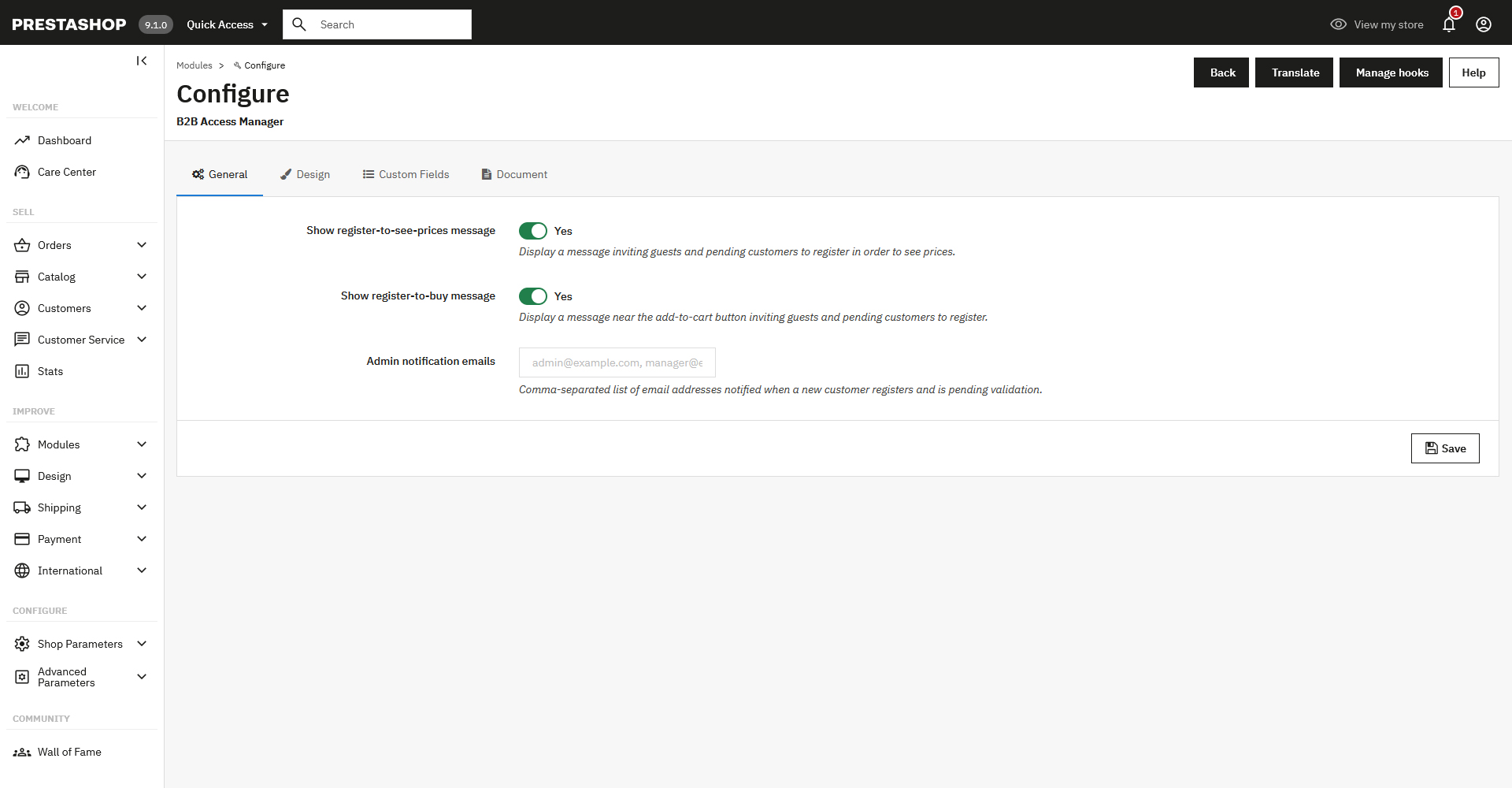
  • Toggle "register to see prices" and "register to buy" messages per theme
  • Set admin notification emails for new pending registrations
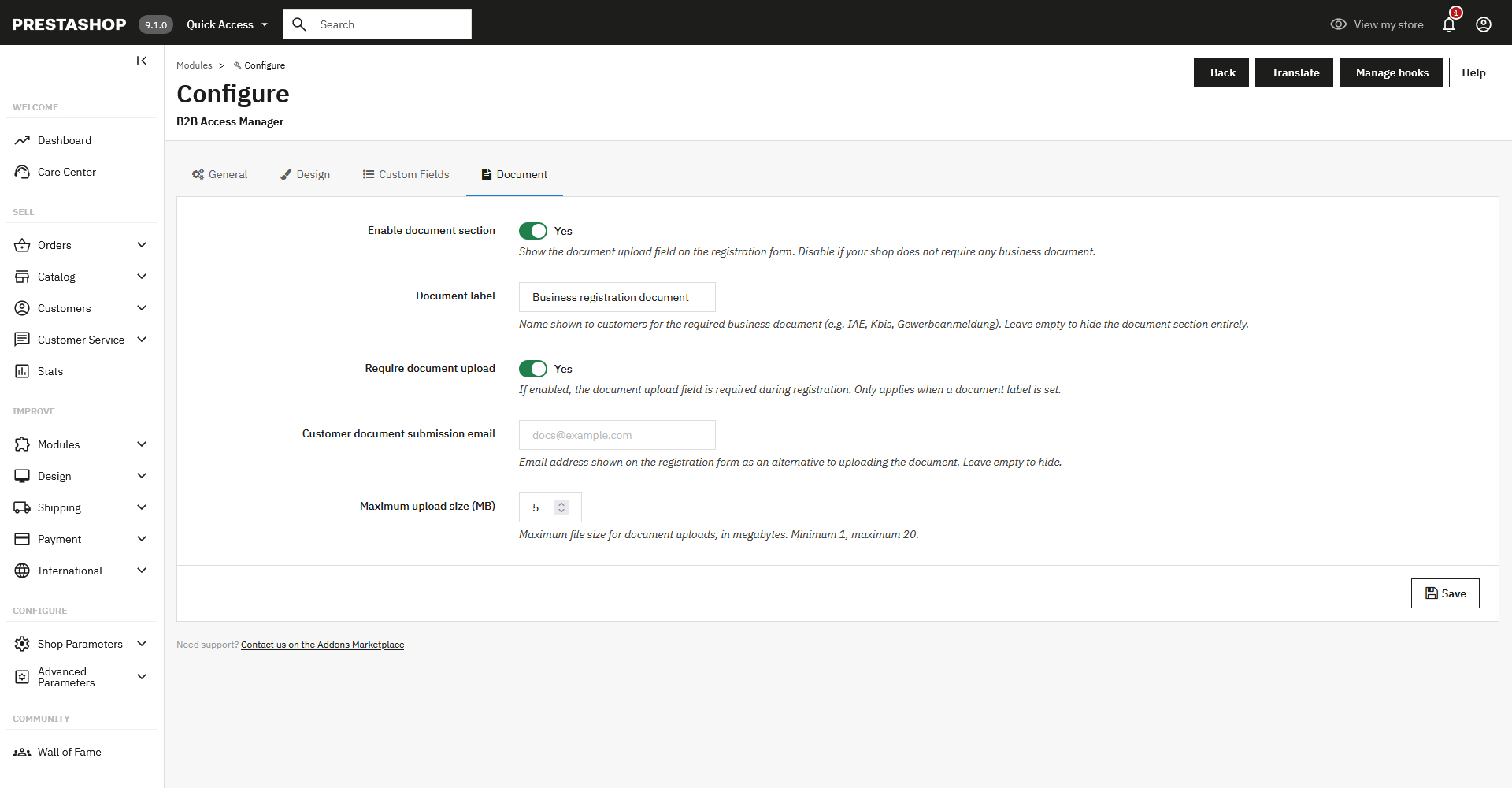
  • Configure document label, upload requirement and max file size
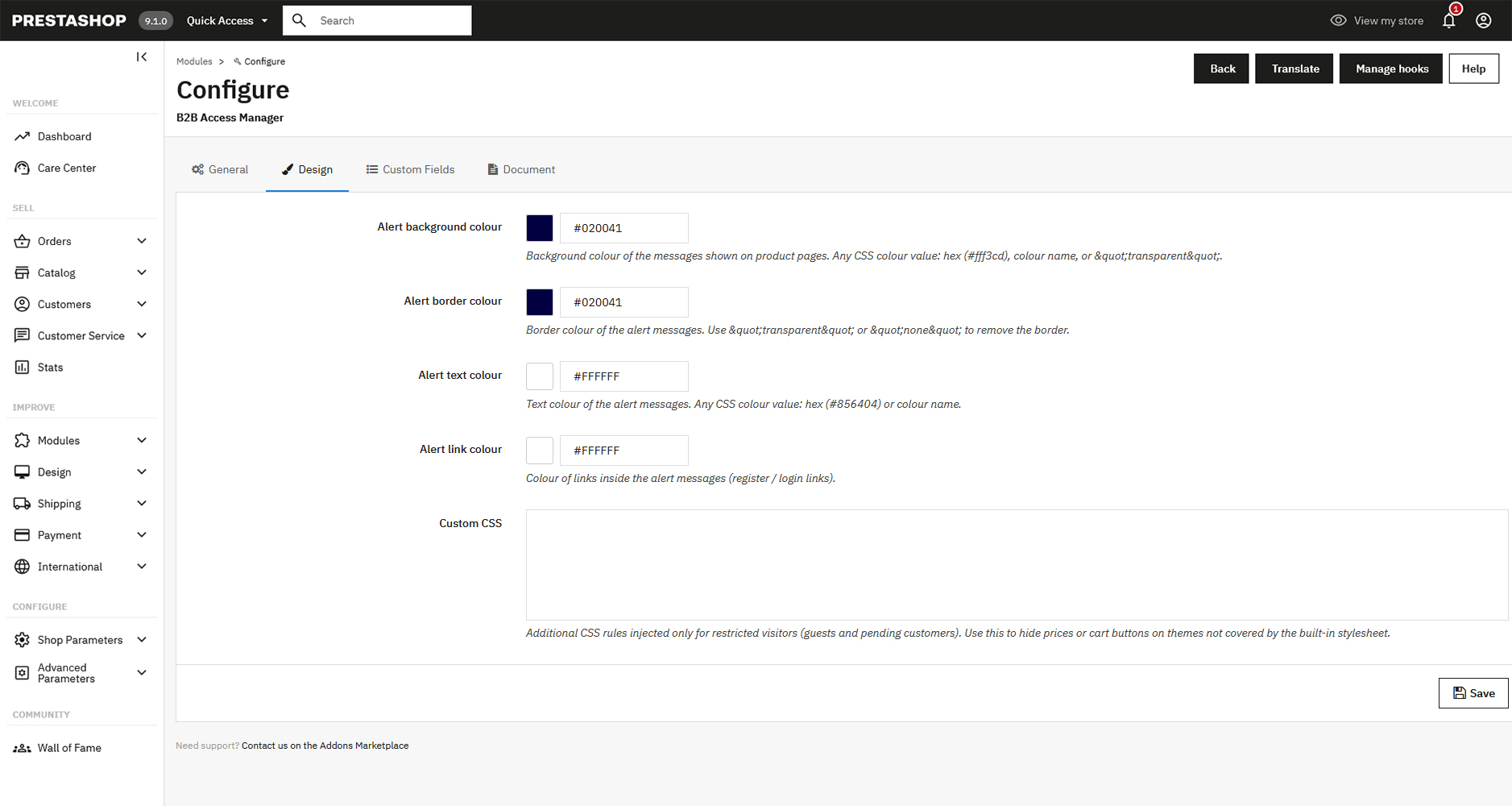
  • Customise alert colours (background, border, text, links) and inject custom CSS
πŸ› 

Admin Tools

  • Dedicated validation panel in back office
  • Filter customers by status, name, email or company
  • Bulk actions: approve, reject or set as pending
  • Export filtered customer lists to CSV
  • Instant access to customer data and uploaded documents
  • Designed to manage large volumes of B2B customers efficiently

Powerful Back Office

A dedicated panel designed to manage your B2B customers at scale.

General: frontend messages, visibility rules and admin notification emails

General: frontend messages, visibility rules and admin notification emails

Document: label, upload requirement, submission email and max file size

Document: label, upload requirement, submission email and max file size

Design: alert colours and custom CSS for restricted visitors

Design: alert colours and custom CSS for restricted visitors

The results you get

Sell only to verified business customers
Prevent unauthorized access to pricing
Reduce invalid or unqualified orders
Save time with automated onboarding
Improve trust and professionalism in your store

Compatibility

βœ… PrestaShop 8.x and 9.x βœ… PHP 8.1+

Frequently Asked Questions

Is it compatible with PrestaShop 8 and 9?
Yes. B2B Access Manager is fully compatible with both PrestaShop 8.x and 9.x.
How long does it take to install and get up and running?
Just a few minutes. You install it through the standard PrestaShop back office module manager, configure your preferences in the settings panel, and the module is live. No developer needed.
Can I choose which fields appear on the B2B registration form?
The form collects business information (company name, VAT number, etc.) by default. You can also configure whether document upload is optional or mandatory.
What happens when a customer registers?
Their account is automatically set to Pending. The admin receives a notification email and can then approve or reject the request from the back office.
Can I send a message when I reject a customer?
Yes. When rejecting a registration, you can include an optional custom message that will be sent to the customer in the notification email.
Does it work with any PrestaShop theme?
Yes. The module works at the logic level and is compatible with any theme. You can also inject custom CSS and adjust alert colours to match your store's design.
What happens to my existing customers when I install the module?
Existing customers are not affected. You can manage their approval status individually from the back office validation panel.
Is there a limit on the number of B2B customers I can manage?
No. The admin panel is designed to handle large volumes of customers efficiently, with filters, bulk actions and CSV export.
My theme still shows prices and the cart button to non-approved customers. What can I do?
Access control is enforced server-side, so unapproved visitors can never buy or see real prices regardless of what the theme renders. However, to also hide the empty price container and the (non-functional) cart button visually, the module includes built-in CSS rules for the Classic and Hummingbird themes. If you use a different theme, go to Settings > Design > Custom CSS and add the selector that wraps the price or cart button in your theme, for example: .price { display:none !important; }. This CSS is only injected for guests and pending customers.
Can I customise the emails sent to customers and admins?
Yes. All email templates (the admin alert for new pending registrations, the pending notification sent to the customer, and the approval or rejection emails) can be fully edited from your PrestaShop back office. Go to Design > Email Theme (or International > Translations > Email templates, depending on your version) and look for the templates listed under the module name. From there you can modify the copy, adjust the layout and translate them into any language not yet covered.

Turn your store into a controlled B2B platform

Start validating your customers and protecting your pricing today.

πŸ‘‰ Get B2B Access Manager

B2B Access Manager by Metalinked
Compatible with PrestaShop 8 & 9 No coding required